Finding a dependable work companion does not need to break the bank, and the Logitech H390 USB headset has long stood as an office and remote-work staple. Designed for professionals who spend hours hopping across virtual conference rooms, this affordable headset promises clear digital audio and minimal setup hassle. In this comprehensive review, we examine real-world user feedback, design ergonomics, and acoustic performance to determine if it is truly the right pick for your desk setup.
Product Overview: Simple, Everyday Work Functionality

The Logitech H390 is built around simplicity and utility. As an everyday wired headset with microphone for PC and Mac, it removes the battery anxieties and wireless pairing glitches that often disrupt busy workdays. With 30 mm fine-tuned audio drivers and a rotating noise-canceling boom mic, this headset focuses on clarity where it matters most: voice intelligibility.
It connects directly through a standard USB-A connector, functioning out-of-the-box as a certified Works With Chromebook device, while playing seamlessly with Windows and macOS machines.
Logitech H390 USB Headset Performance & Sound Quality
Despite its modest price tag, the Logitech H390 USB headset punches above its weight in daily audio output. The 30 mm drivers produce well-balanced stereo sound with a surprisingly warm mid-range. While bass-heavy tracks will not rattle your skull, dialogue sounds sharp, making it one of the best headset for video calls and meetings on platforms like Microsoft Teams, Zoom, and Google Meet.
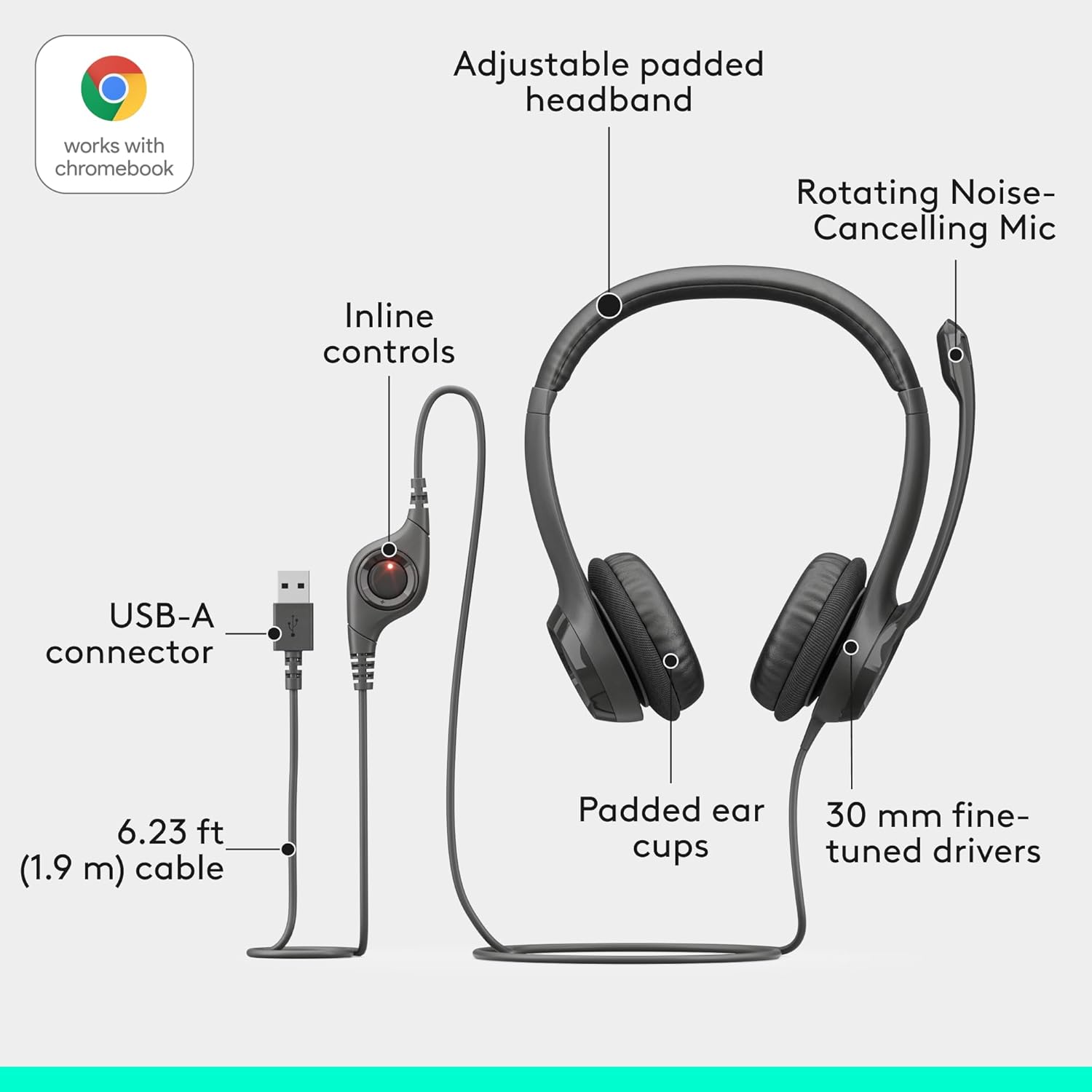
Where the unit truly shines is its input performance. Configured as a USB-A computer headset with noise cancelling mic, the rigid bi-directional boom mic filters out steady ambient disturbances like hums from desktop fans or air conditioners. Users in busy family homes or shared co-working spaces frequently note that the microphone isolates their speech reliably without picking up minor background distractions.
Design, Comfort, and In-Line Convenience
Comfort can be subjective on an on-ear design. The headband and swiveling leatherette ear cushions provide decent padding, but the clamping pressure leans on the tighter side initially. Those with larger head sizes or eyeglasses may experience slight ear tenderness during marathon 8-hour sessions, though the headband naturally relaxes with steady usage.

Cable ergonomics are a major plus: measuring 6.23 feet (1.9 meters), the cord lets you stand up and stretch without ripping the connection loose. Integrated into this wire is the Logitech headset with in-line volume control, featuring responsive rocker switches for fast adjustments and a dedicated mute button with a distinct LED alert so you never have to guess whether you are broadcasting live.
Durability and Daily Practicality
Constructed primarily from lightweight plastic (including at least 23% recycled materials), the H390 stays light on your crown. However, customer feedback highlights that excessive flexing when pulling the cups apart can stress the headband joints. Proper handling—sliding the headset off without overextending the ear cups—ensures a significantly longer lifespan.
Because it operates as a reliable plug and play USB headset for laptop workstations, there is no proprietary software to configure. Whether you plug it into a desktop dock or straight into a business notebook, system audio recognizes it instantly.
The Final Verdict
If you need an affordable, hassle-free communication tool for conference calls, virtual classrooms, or call-center shifts, the Logitech H390 delivers outstanding value. It trades high-end aesthetics for rock-solid vocal clarity, dependable background noise filtration, and pure plug-and-play dependability.